Swee

PROFESSIONAL

AI × UX / PROFESSIONAL DESIGN

Move beyond creating UI.
With AI,
become someone who designs
exceptional experiences.

A hands-on program that turns your existing UI/UX experience into an advantage for the AI era.

View the curriculum

For experienced UI/UX designers and former Swee students

Swee / Product workspace
LAYERSExperienceDesign SystemPrototypeBuild
01 / HOMEMake better
decisions.
COMPONENTButton / PrimaryDefaultHover
CODE<Experience
 state="clear"
 intent="decide"
/>
● Prototype running

02 / THE SHIFT

What AI makes less valuable
is not design itself,
but design as production work.

BEFORE

Execution / Production80%Thinking / Judgment20%

WITH AI

Execution20%Thinking / Experience / Judgment80%

The proportions illustrate a conceptual shift in the focus of the work; they are not measured data.

Research → Wireframe → UI Design → Design System → Prototype → Handoff

Shift human time from producing to thinking, judging, designing experiences, and validating.

03 / HUMAN JUDGMENT

Do not stop at operating AI.
Become someone who can judge
what AI produces.

Who are we creating this for?

What situation are they in now?

What situation should we create for them?

Which option is best?

What should be removed?

AI×Human UX judgment

04 / CURRICULUM

What you will develop
at Swee PROFESSIONAL.

01THINKDecide what to build
02EXPLOREExplore many options with AI
03SYSTEMIZEStructure decision criteria
04PROTOTYPEMake it work
05BUILDTurn it into a product
06VALIDATEExperience and validate
07SCALEScale across the organization
MODULE 01

AI × UX STRATEGY

Before thinking about UI,
decide what value to create.

Business conceptUserCurrent stateDesired stateRequired experienceFunctionUI
MODULE 02

AI × UX RESEARCH

Do more than collect information.
Make it ready for decisions.

User feedback, research, competitors, analytics, inquiries, and reviews: use AI to organize information at scale and go beyond summarization.

DATAFacts
PATTERNPatterns
INSIGHTMeaning
DECISIONDecision
MODULE 03

AI × UI EXPLORATION

Before polishing one idea,
explore many possibilities.

Use AI to expand the possibilities, then judge them against the purpose. Narrow the field step by step, from broad direction to fine detail.

LEVEL 1Overall screen directionAI develops four directions
HUMAN JUDGMENT 01Choose by purpose, user, and value proposition
LEVEL 2Section structureDevelop the chosen direction into three structures
HUMAN JUDGMENT 02Choose by information priority and flow
LEVEL 3Widget behaviorCompare two interaction patterns
HUMAN JUDGMENT 03Choose by clarity and response
LEVEL 4Detail qualityRefine the details last
AI Expand the options quickly×HUMAN Choose against the purpose and explain why
Use AI not as a tool that produces the finished answer,but as an exploration engine for human decision-making.
MODULE 04

AI × DESIGN SYSTEM

Move beyond being able to make a design system: learn to architect it, have AI build it, and operate it.

Primitive TokenSemantic TokenComponent TokenUI ComponentVariant / Properties / StateLibraryInstance
VariablesAliasModes
The goal is not to register 100 variables by hand.Understand why the structure exists, guide AI to build it correctly, and judge its quality.
MODULE 05

AI-READY DESIGN SYSTEM

Move from a design system people can use to one AI can understand too.

Capture when to use it, when not to, why it exists, and which variant to choose as knowledge AI can read.

Figma Library
AI-readable Design KnowledgeMeaning / Usage / Constraints / Good and Bad Examples
AI
UI aligned with the Design System
MODULE 06

AI × PROTOTYPING

Move from showing
to interacting and judging.

Use Figma Make, Claude Code, Codex, and other tools according to the purpose to rapidly create interactive prototypes.

Run it and test it before deciding.
MODULE 07

AI × BUILD

Cross the boundary
between design and implementation.

Designer → Handoff → EngineerDesigner + AI
→ Prototype → Code → Product

The goal is not to become an engineer. It is to become a designer who can communicate intent precisely to AI and validate it in working form.

MODULE 08

EXPERIENCE DESIGN

Design not the UI,
but the human state.

BEFORE HUMAN STATEAnxietyUncertaintyLack of understanding
EXPERIENCE →
AFTER HUMAN STATEUnderstandingConfidenceReassurance
An experience is not defined by what a user operated,but by how interacting with the product changed their state.

13 / EXPERIENCE SYSTEM — RESEARCH IN PROGRESS

Do not let exceptional experiences
depend on individual instinct alone.

This is an area currently being researched, built, and validated through real projects. It is not presented as a finished or exclusive methodology.

The “Experience System” introduced here is a concept proposed by Kohei Torigoe and currently being developed through research and practice.

DESIGN SYSTEM

Align the appearance and behavior of screens.

Standardize color, typography, components, and patterns to support UI quality and consistency.

EXPERIENCE SYSTEM

Align the experience decisions that produce the screens.

Whose state should change? What should they feel? What should be prioritized or avoided? The aim is a system in which people and AI use the same experience principles to test, learn, and update.

The goal is not to make every screen identical. Even as products and touchpoints increase, it is to createa state in which experience decisions true to the brand can be reproduced.

Experience PrinciplesExperience principles to preserveExperience PrimitivesThe smallest units of experience, such as reassurance, understanding, and confidenceSemantic ExperiencesExperiences given meaning by context and purposeExperience ComponentsReusable units of experienceExperience LibraryA place to accumulate validation results and decision rationaleExperience InstancesThe experience actually created at each screen and touchpoint
If a Design System scales UI consistency, an Experience System aims to bea mechanism that scales consistency in experience knowledge.
MODULE 09

AI × DESIGN ORGANIZATION

Move beyond one exceptional designer
to UX quality across the organization.

How can UX quality stop depending on one individual? Turn decision criteria into shared AI knowledge.

Experience KnowledgeDesign SystemUX WritingGuidelinesAI Skills
Shared AI Knowledge
PMDesignerEngineerBusiness

15 / ACTUAL AI × DESIGN WORKFLOW

What you give AI
is not a single prompt.

experience.mdOverall experience principles
product.mdProduct-specific philosophy and purpose
scenario.mdUser context
requirements.mdRequirements
design.mdDesign rules
Design System
AI Agent
Prototype / Product

This is one workflow currently being validated through real projects and research. It is not presented as the only correct answer.

16 / OUTPUT

Your work remains
as evidence of what you learned.

UX StrategyResearch / InsightAI UI ExplorationDesign SystemAI-readable Design KnowledgeInteractive PrototypeImplemented ProductExperience DesignCase Study

The ultimate goal isnot to know about AI, but to reproduce an AI × UX workflow yourself.

17 / HOW TO LEARN

OUTPUT over INPUT.

01LEARNLearn
02CREATECreate
03FEEDBACKShow
04IMPROVEImprove
05PUBLISHTurn it into an outcome
The work does not end by handing everything to AI.“Why did you make this decision?”Being able to answer that question matters.

18 / FOR SWEE ALUMNI

What you learned at Swee
is not outdated.

Understanding users, thinking through experiences, organizing information, and translating it into UI are even more important in the AI era.
BeforeThink through UXCreate in Figma
NowThink through UXStructure it as knowledgeExplore at scale with AIPrototype / Build / ValidateImprove the system

The next chapter after Swee.

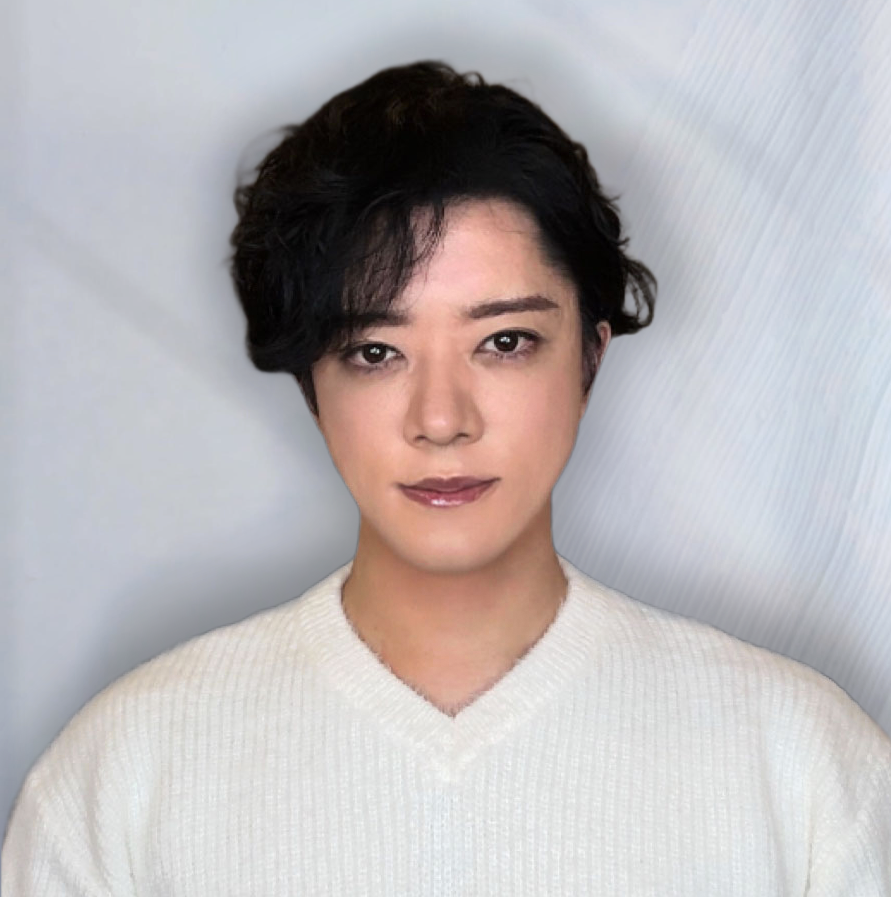
Portrait of Kohei Torigoe

19 / KOHEI TORIGOE

More than 25 years
of thinking about UI/UX.

I have spent many years working on corporate products, from business concepts, UX, and UI to prototypes, design systems, and design organizations.

How far can design work evolve when more than 25 years of UX knowledge, experience, and decision criteria are connected with AI?

This is not an AI specialist teaching design.
It is someone with more than 25 years in UX redesigning UX work through AI.

Learn more about the instructorView Kohei Torigoe's background and work

20 / FIRST MONITOR COHORT

Swee PROFESSIONAL
Recruiting the first pilot cohort

We are recruiting the first members who will help validate and improve this curriculum for professional designers in the AI era alongside practicing designers.

Tuition for this cohort¥0
Required production environmentFigma Professional planCodex or Claude Code

Please ensure you can use these tools by the time the program begins.

What we ask of pilot participants

  • Access to a Figma Professional plan
  • Access to Codex or Claude Code
  • Weekly study and project work
  • Assignment submission
  • Before-and-after interviews
  • Video and written feedback
  • Permission to feature work and feedback
  • Social media introduction when requested
This is not an offer to receive information for free.It is a call for first-cohort members who will help complete Swee PROFESSIONAL with us.

21 / FOR YOU

This is for you if you:

  • Have professional experience as a UI/UX designer
  • Previously studied UI/UX at Swee
  • Want to integrate AI deeply into your work
  • Want to work with design systems at scale
  • Want to go as far as prototyping and implementation
  • Want to deepen your expertise for the AI era
  • Want to influence your organization as a Design Lead or Product Designer

22 / NOT FOR YOU

This is not for you
if you:

  • Need to start with the basics of Figma
    → Go to Swee Beginner
  • Only want to learn about many AI tools
  • Want AI to do everything for you
  • Do not want assignments or project work
  • Want an easy way to make money

23 / HOW IT WORKS

How to join.

  1. 01Apply
  2. 02Review experience and goals
  3. 03If needed,
    online interview
  4. 04Participation confirmed
  5. 05Before
    Interview
  6. 06START

24 / FAQ

Frequently asked questions.

The program assumes familiarity with basic UI/UX thinking and experience creating with tools such as Figma. If you have no experience, pleaseview Swee Beginner →

Absolutely. Former Swee students are one of the main audiences for this program.

You need a Figma Professional plan and either Codex or Claude Code. Please ensure you can use them by the time the program begins.

That is not a problem. This is not a programming course; the goal is to use AI agents to build something that works.

We use ChatGPT, Claude, Codex, Figma-related AI, and other tools according to the purpose. Mastering any one tool is not the goal.

Tuition for the first pilot cohort is ¥0. In return, you must participate in the pilot activities and have access to a Figma Professional plan plus Codex or Claude Code.

Swee

PROFESSIONAL

25 / FINAL

Turn the UI/UX experience you have built
into an advantage for the AI era.

To think more. To test more. To make better decisions. To create more exceptional experiences.

Go to the application form New to UI/UX? → Swee Beginner
experience-system.md
purpose: create a better human state
before: uncertainty, friction
after: clarity, confidence
method: think → explore → build → validate
owner: human judgment
status: ready to evolve_